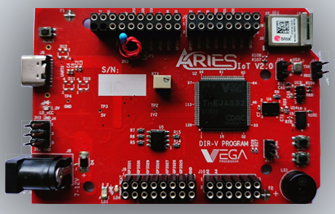
This tutorial demonstrates the use of the onboard APDS-9960 sensor available on the ARIES IoT Board. The APDS-9960 is a multi-function digital sensor that supports gesture recognition, proximity detection and RGB color sensing, enabling a wide range of interactive and IoT applications without requiring any external hardware connections.
Aries IoT v2.0 Board
The ARIES IoT is a fully indigenous and a “Made in India” product to get started with basic microprocessor programming and embedded systems. This board is built upon a RISC-V ISA compliant VEGA Processor with easy-to-use hardware and software. For more details about ARIES IoT boards please refer to the ARIES development boards and Ecosystem.
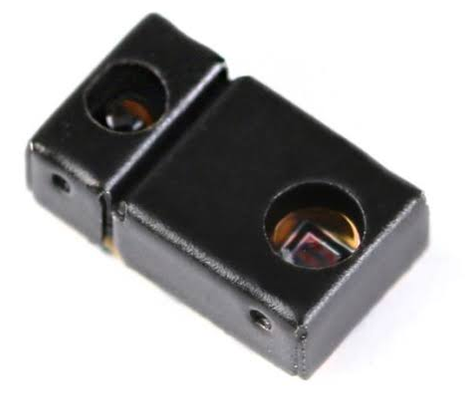
APDS-9960
The APDS-9960 onboard sensor available on the ARIES IoT Board provides gesture recognition, proximity sensing and RGB color detection through an I²C interface. It enables the board to detect hand movements such as up, down, left and right gestures, measure the distance of nearby objects and identify the intensity and color composition of ambient light. The sensor integrates an IR LED and multiple photodiodes, allowing touchless human-machine interaction and environmental sensing applications. In the ARIES IoT board, the APDS-9960 is connected internally to the dedicated I²C bus along with other onboard sensors, eliminating the need for external wiring and making it easy to develop gesture-controlled, smart automation, robotics and IoT applications.
Prerequisites
- Windows 10 or above/Ubuntu 20.04 LTS or above
- Arduino IDE
- VEGA ARIES Board support package
Components Required
- ARIES IoT v2.0 Board
- USB type C cable
Circuit Diagram
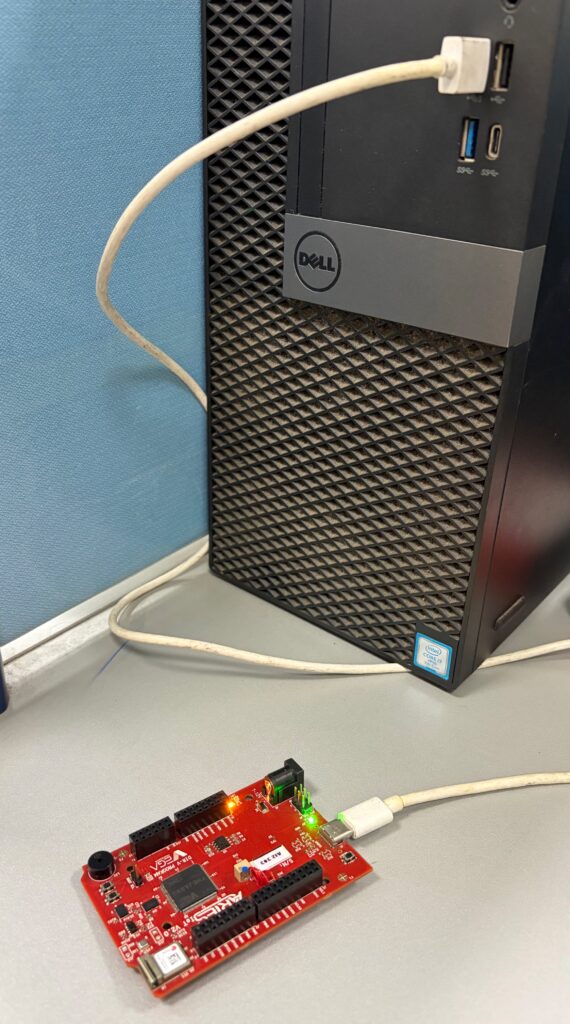
No external connections required to test this code. You can directly connect Aries IoT board through USB and upload the program.
Libraries
Arduino libraries are an extension of the standard Arduino API and consists of thousands of libraries, both official and contributed by the community. Libraries simplifies the use of complex codes. Every version of Arduino IDE has a library manager for installing Arduino software libraries. The libraries required for this projects are
Arduino_APDS9960 (Version 1.0.4)
To install the libraries directly from library manager required for this project:
Go to Tools -> Manage Libraries -> and search with the library name mentioned above
Click on Install
Procedure
Setup VEGA Ecosystem
Download and install Arduino IDE 2.3.10
Once installed Open Arduino IDE
Open File->Preferences, Add below JSON in “Additional Boards Manager URL”, Press OK
https://gitlab.com/riscv-vega/vega-arduino/-/raw/main/package_vega_index.json
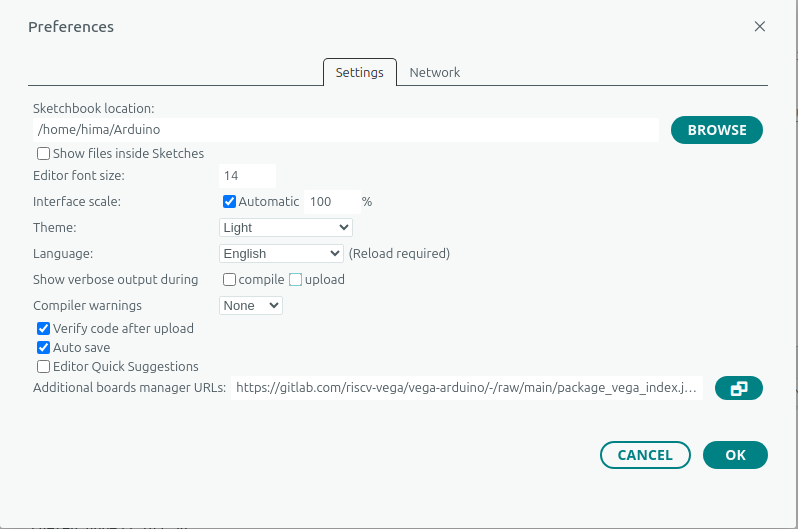
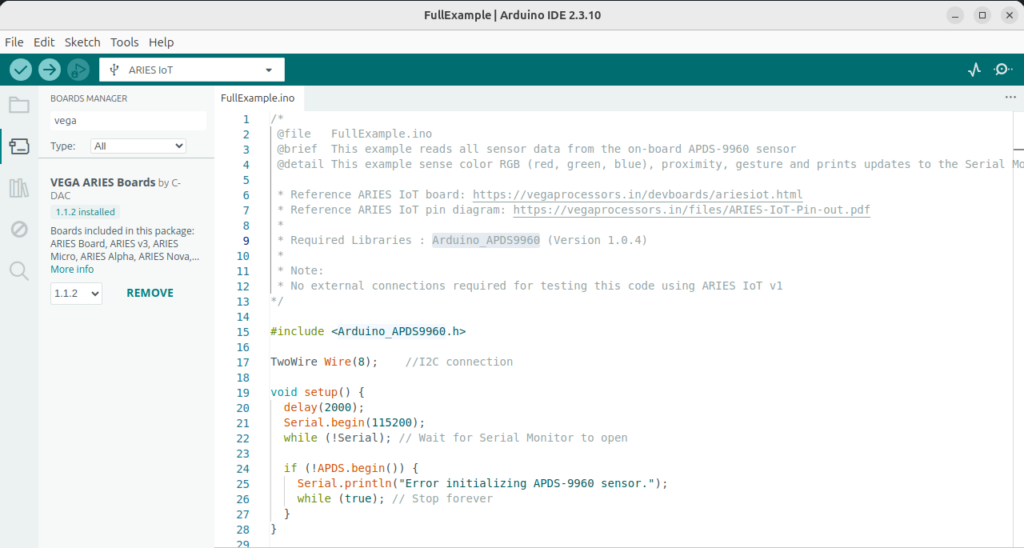
Open Tools->Boards->Board manager, Search for “vega”
Install “VEGA ARIES Boards” with latest version
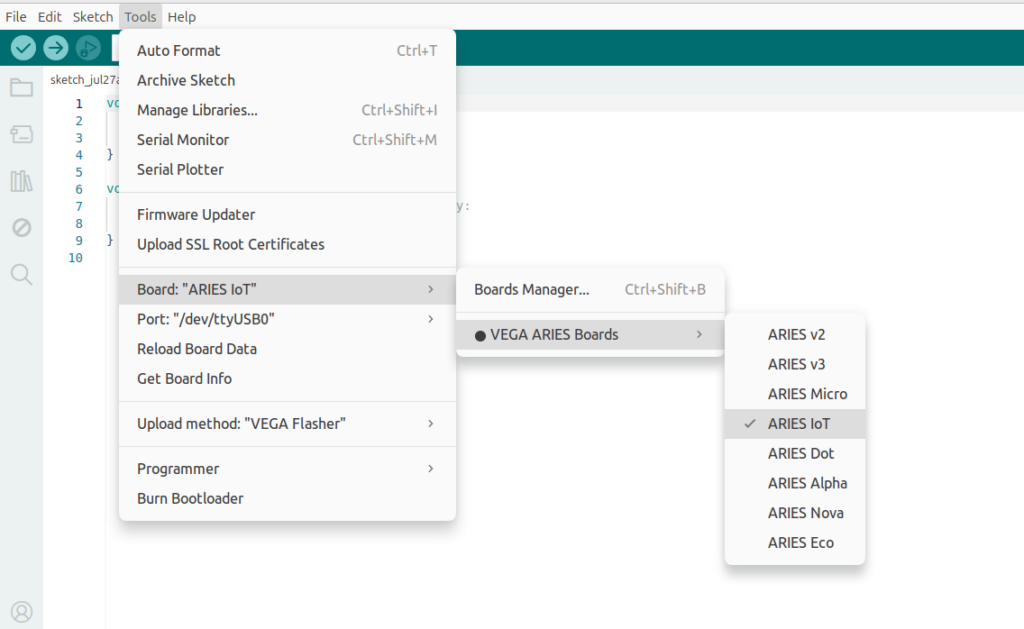
Select ARIES IoT Board from Tools -> Board -> VEGA Processor: ARIES Boards -> ARIES IoT
Check your ARIES board whether the BOOT SEL pin is shorted using a jumper or not.
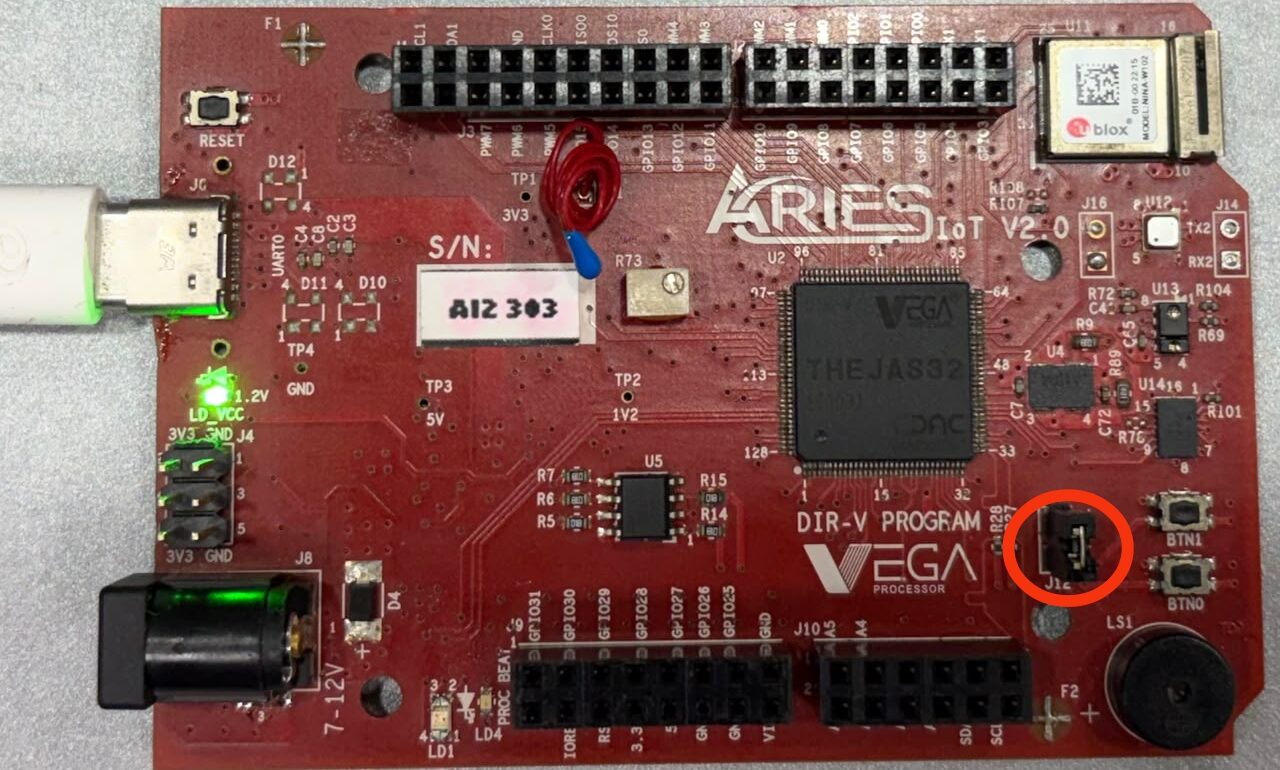
If
BOOT-SEL jumper (J12) is shorted :
Select Tools -> Upload method -> VEGA FLASHER
Else
Select Tools -> Upload method -> VEGA XMODEM
Here the BOOT SEL pin is shorted, so we have selected VEGA FLASHER from Upload method
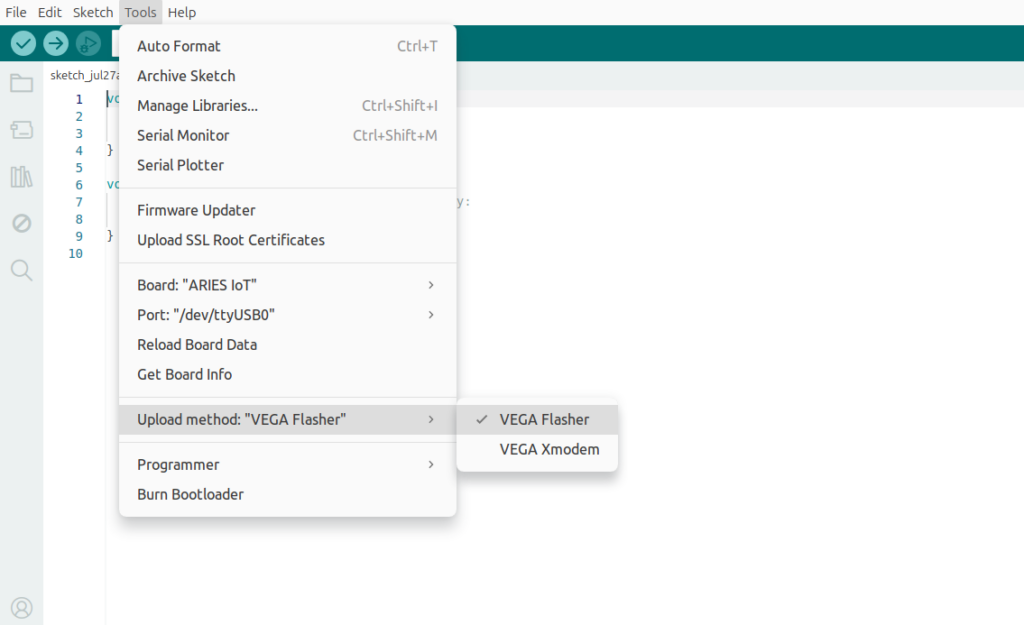
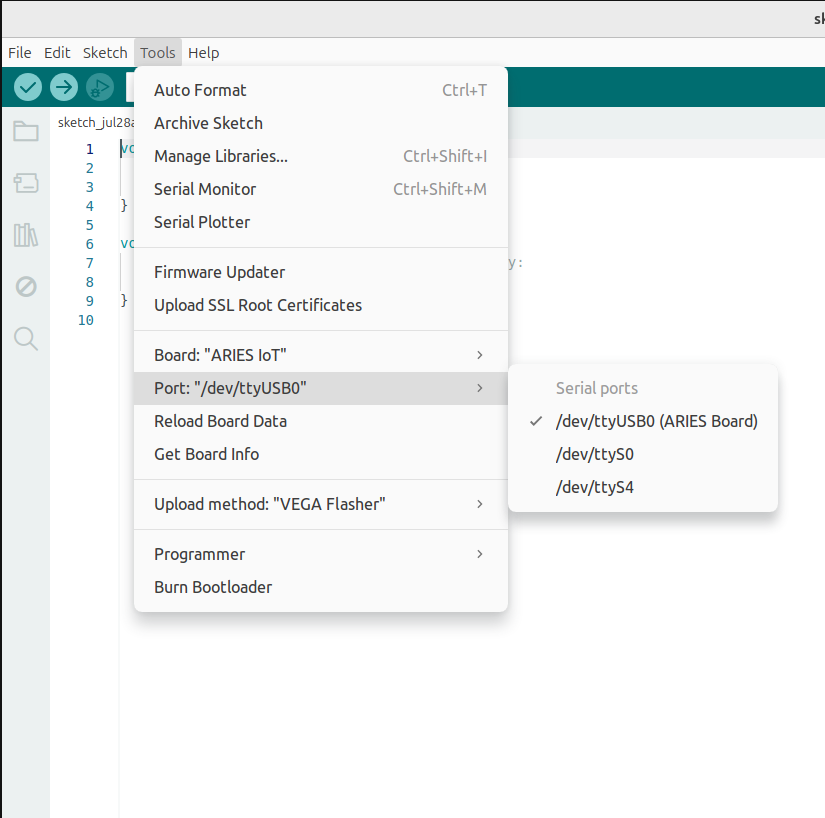
Also select appropriate port from Tools -> Port -> COM* (ARIES Board) for windows and dev/tty/USB*(Aries Board) for ubuntu
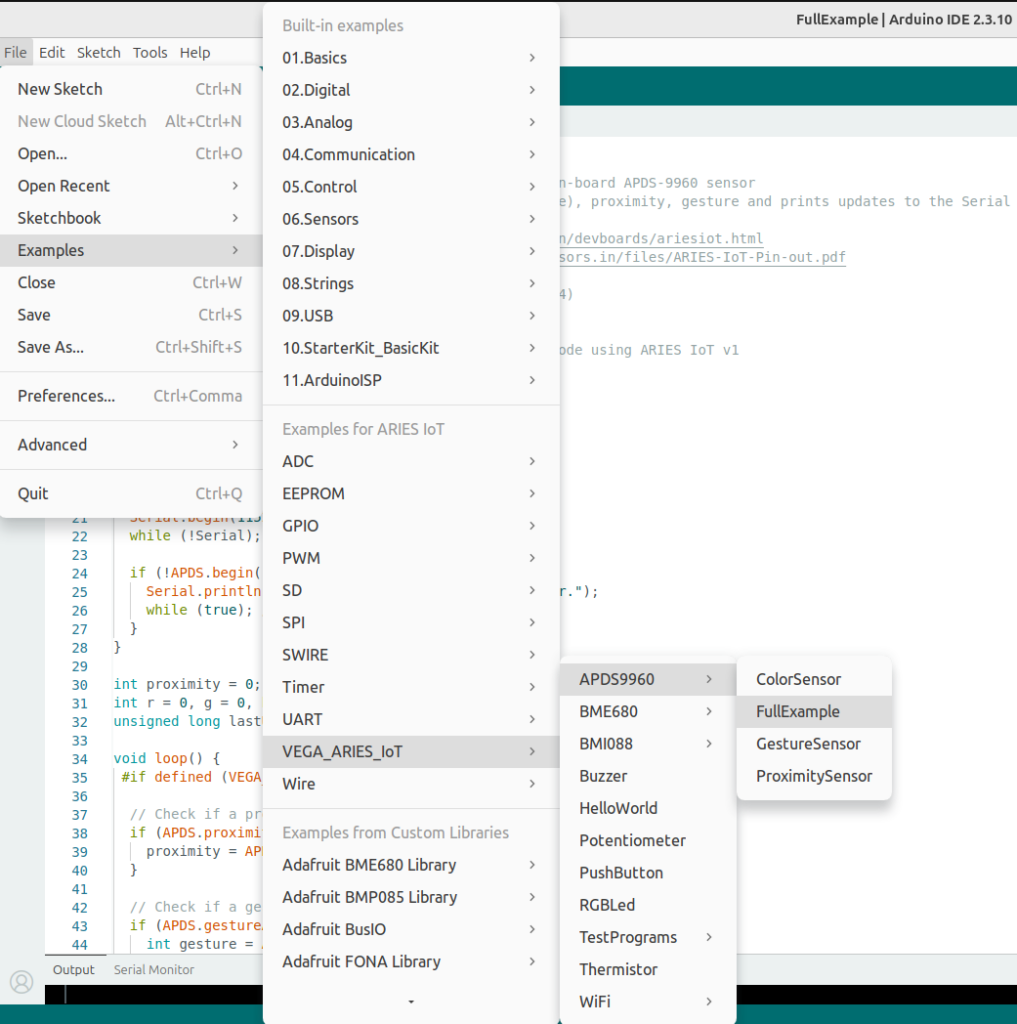
Now, Open Files -> Examples -Under Examples for ARIES IoT -> VEGA_ARIES_IoT -> APDS9960 -> Full Example
Finally Upload the code to ARIES IoT board
Output
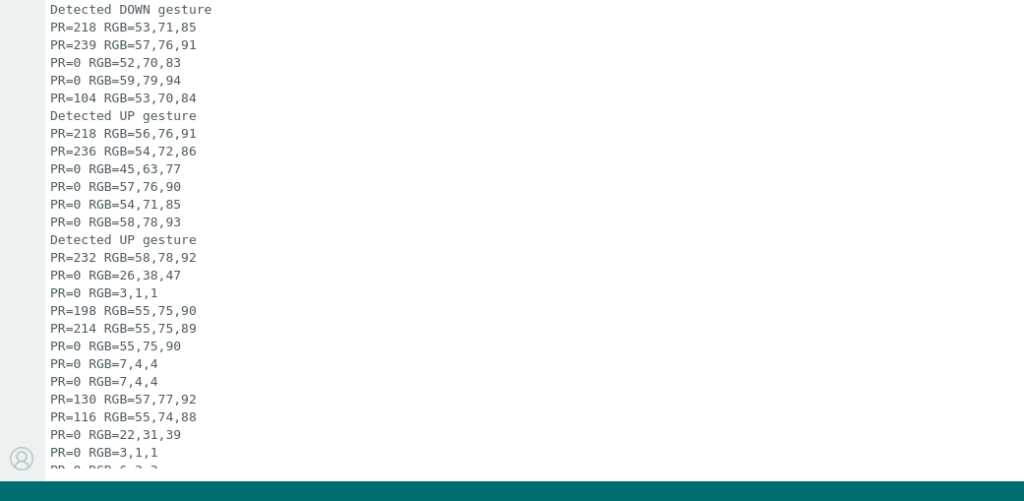
After successfully uploading the code to the ARIES IoT board and opening the Serial Monitor at 115200 baud, the APDS-9960 sensor continuously displays proximity and RGB color values. The sensor also detects hand gestures such as UP, DOWN, LEFT and RIGHT and prints the corresponding gesture information on the Serial Monitor.