
Overview
This tutorial provides a comprehensive step-by-step guide to developing and executing your first application on the VEGA ARIES IoT Board using the Arduino IDE In every language, generally, the first Hello World project is a simple program that prints “Hello World”.We will see what such a code would look like for ARIES using Arduino IDE.
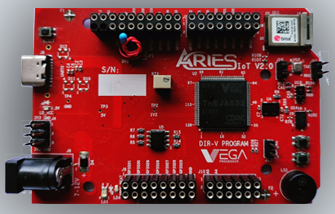
Aries IoT v2.0 Board
The ARIES IoT is a fully indigenous and a “Made in India” product to get started with basic microprocessor programming and embedded systems. This board is built upon a RISC-V ISA compliant VEGA Processor with easy-to-use hardware and software. For more details about ARIES IoT boards please refer to the ARIES development boards and Ecosystem.
Prerequisites
- Windows 10 or above/Linux (64 bit)
- Arduino IDE
- VEGA ARIES Board support package
Components Required
- ARIES IoT v2.0 Board
- USB type C cable
Circuit Diagram
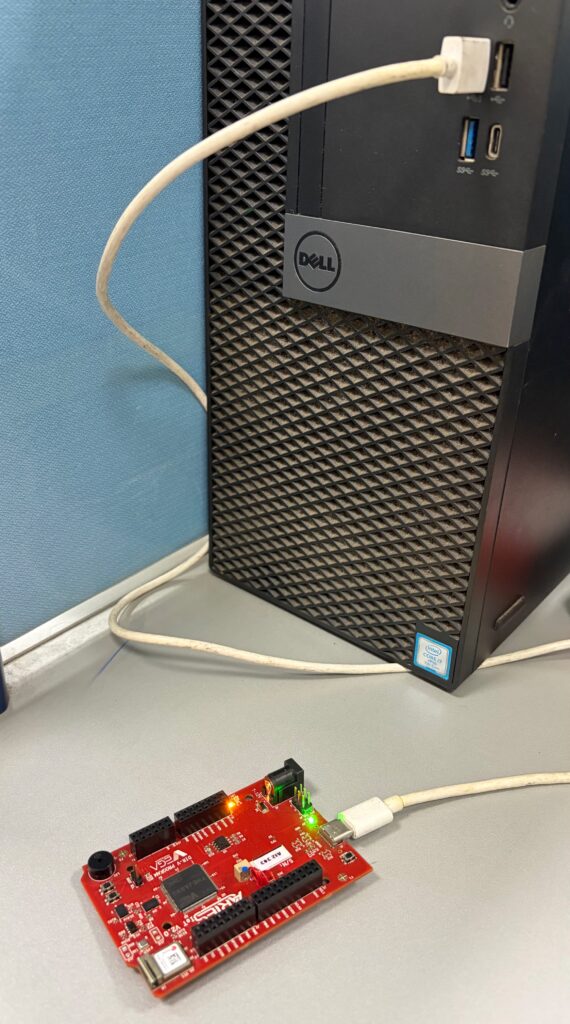
No external connections required to test this code. You can directly connect Aries IoT board through USB and upload the program.
Setup VEGA Ecosystem
Download and install Arduino IDE 2.3.10
Once installed Open Arduino IDE
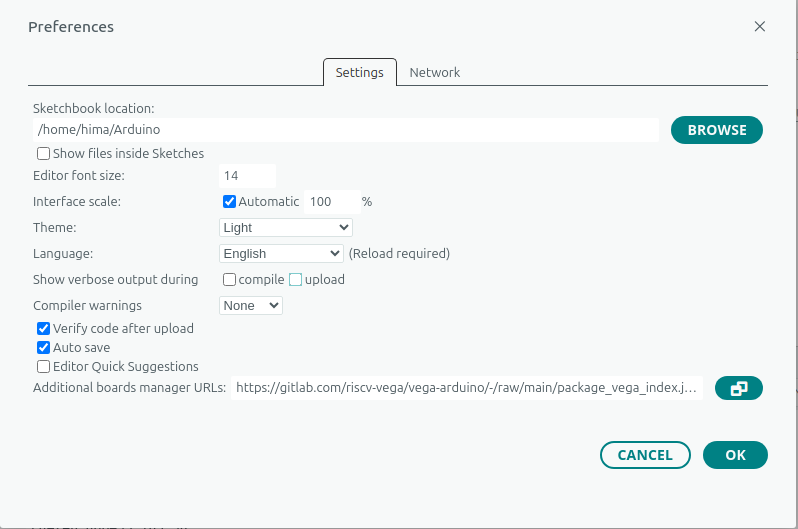
Open File->Preferences, Add below JSON in “Additional Boards Manager URL”, Press OK
https://gitlab.com/riscv-vega/vega-arduino/-/raw/main/package_vega_index.json
Open Tools->Boards->Board manager, Search for “vega”
Install “VEGA ARIES Boards” with latest version
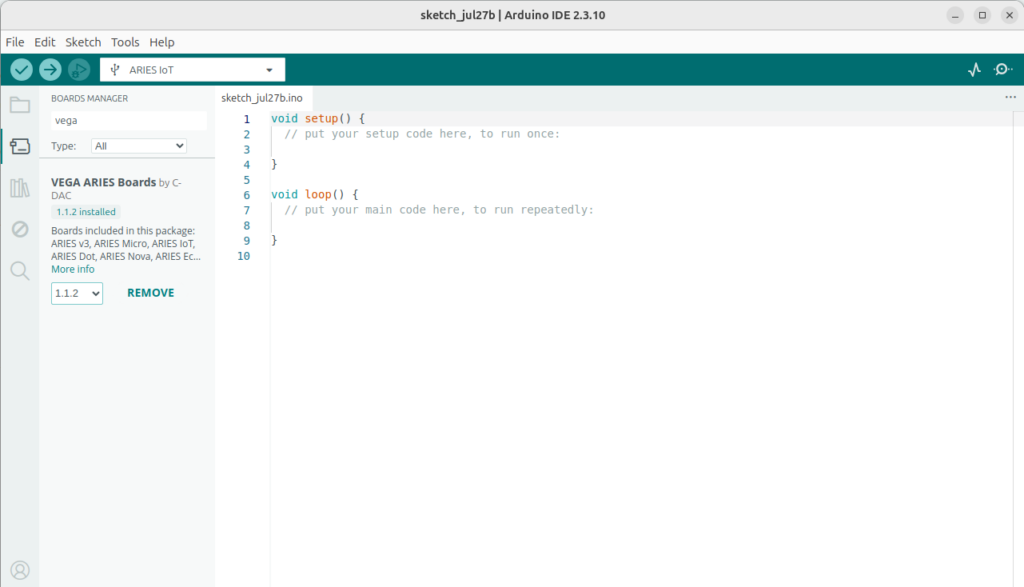
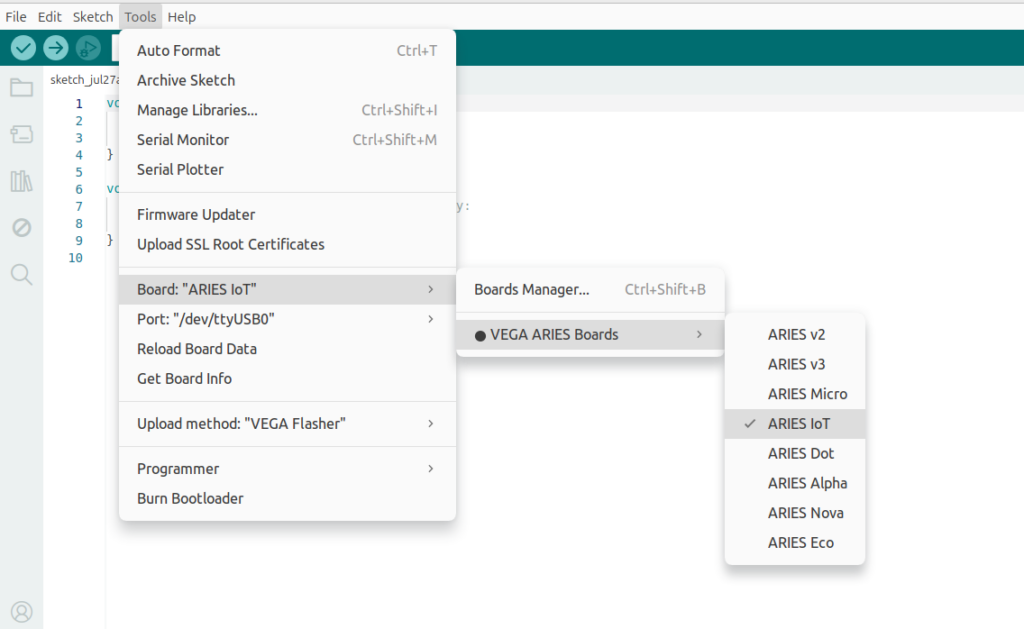
Select ARIES IoT Board from Tools -> Board -> VEGA Processor: ARIES Boards -> ARIES IoT
Check your ARIES board whether the BOOT SEL pin is shorted using a jumper or not.
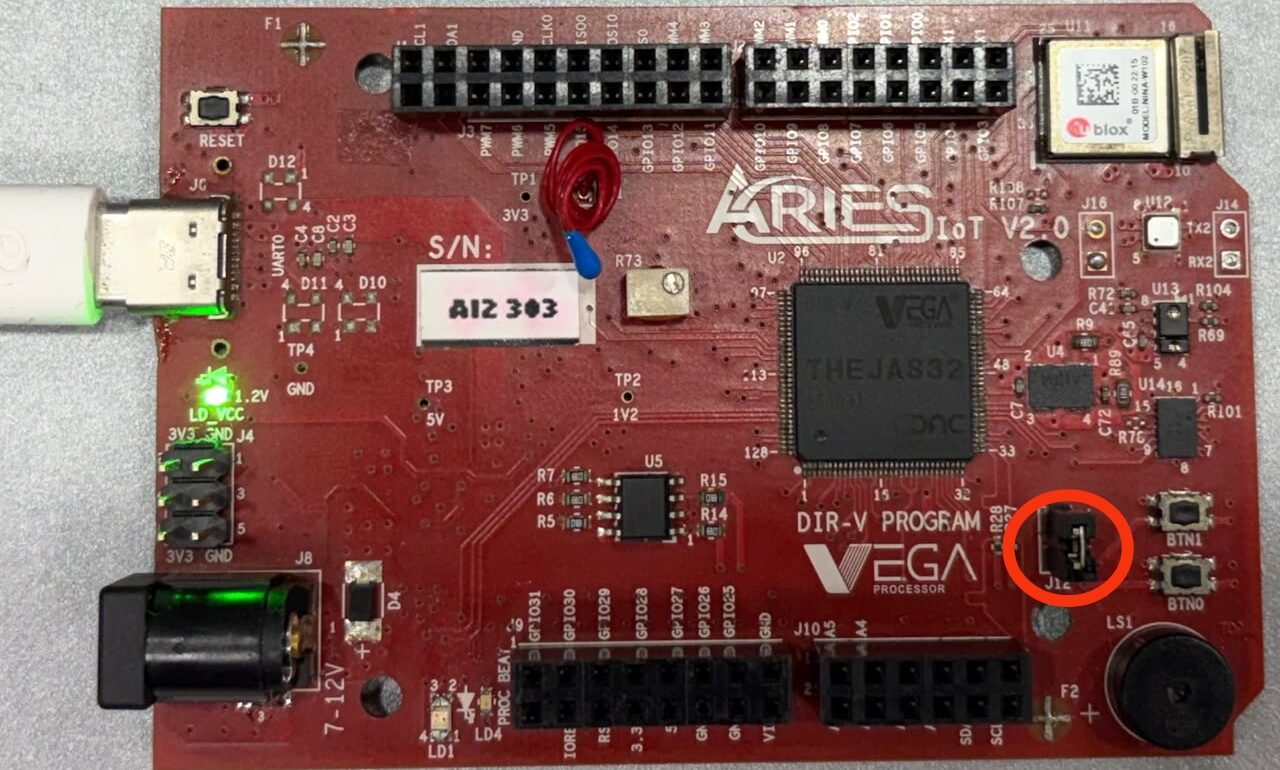
If
BOOT-SEL jumper (J12) is shorted :
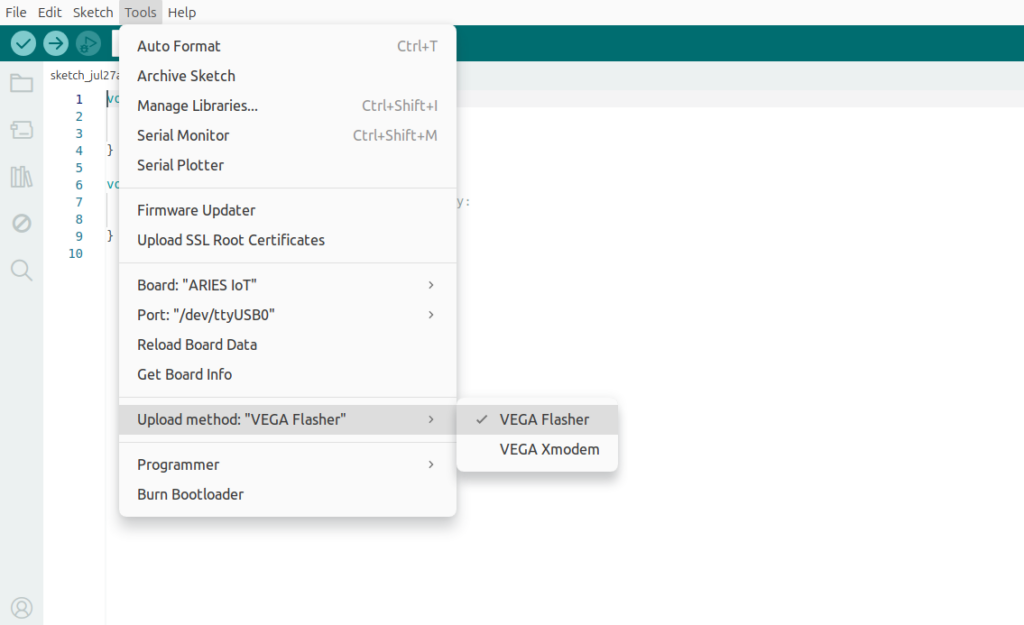
Select Tools -> Upload method -> VEGA FLASHER
Else
Select Tools -> Upload method -> VEGA XMODEM
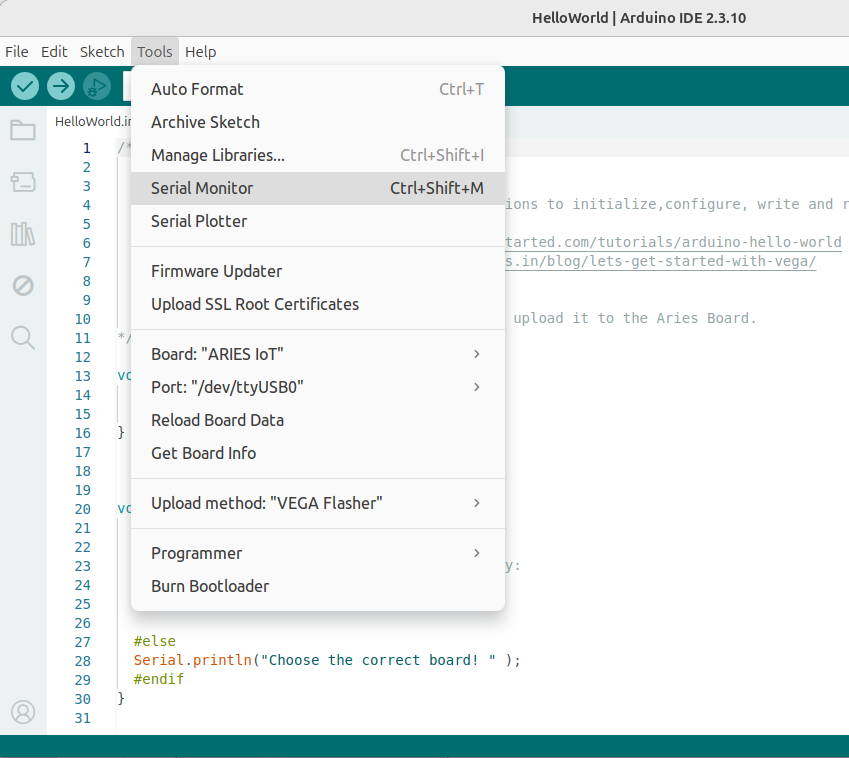
Here the BOOT SEL pin is shorted, so we have selected VEGA FLASHER from Upload method in Tools
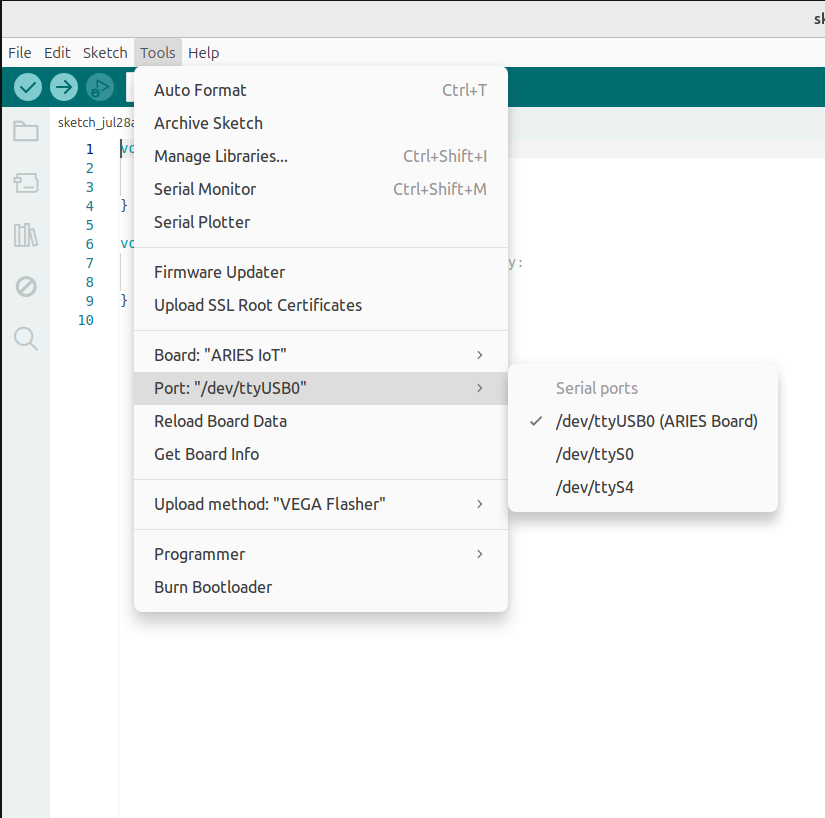
Also select appropriate port from Tools -> Port -> COM* (ARIES Board) for windows and dev/tty/USB*(Aries Board) for ubuntu
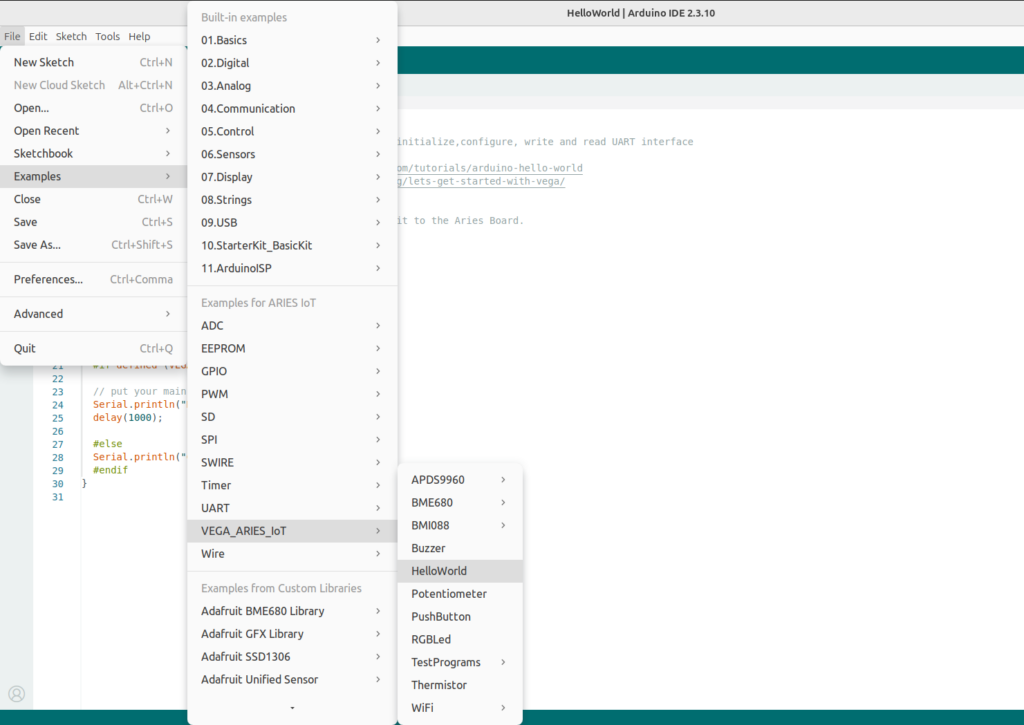
Now, Open Files -> Examples -Under Examples for ARIES IoT -> VEGA_ARIES_IoT -> Hello World
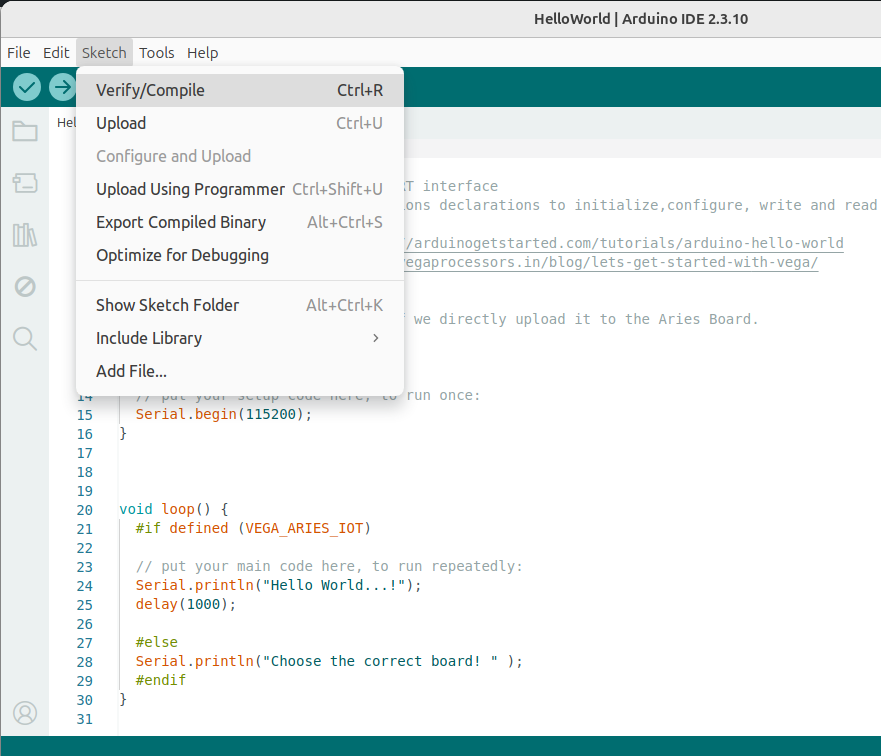
Click the Sketch -> Verify button to compile the program
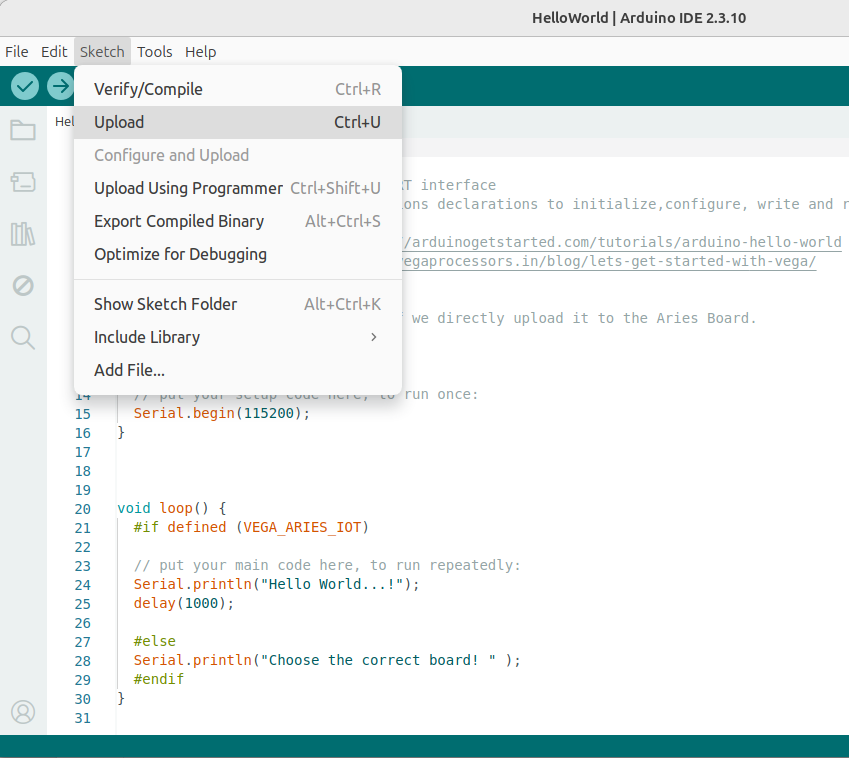
Click the Sketch -> Upload button to upload the program
Open Tools -> Serial monitor
Select 115200 baud in Serial Monitor
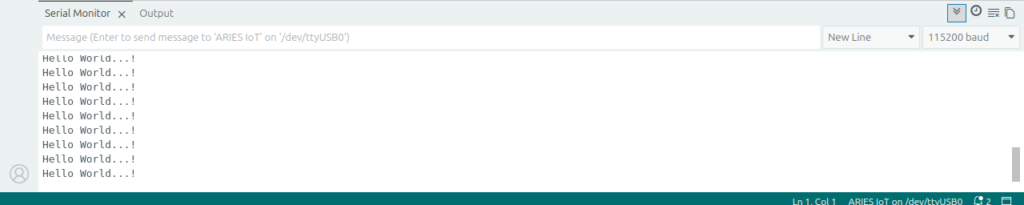
“Hello World” message will scroll in the Serial Monitor