This tutorial demonstrates the use of the onboard BME680 environmental sensor available on the ARIES IoT Board. The BME680 is a digital environmental sensor that combines temperature, humidity, barometric pressure and gas sensing capabilities in a single package. It communicates with the microcontroller through the I²C interface and is widely used in weather monitoring, environmental sensing, indoor air-quality monitoring, and IoT applications.
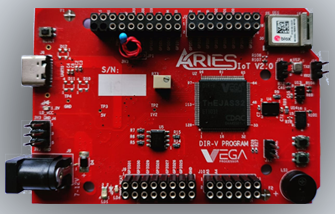
Aries IoT v2.0 Board
The ARIES IoT is a fully indigenous and a “Made in India” product to get started with basic microprocessor programming and embedded systems. This board is built upon a RISC-V ISA compliant VEGA Processor with easy-to-use hardware and software. For more details about ARIES IoT boards please refer to the ARIES development boards and Ecosystem.
BME680 Sensor
The BME680 is a low-power environmental sensor developed by Bosch Sensortec that integrates multiple sensing elements into a single device for measuring ambient temperature, relative humidity, atmospheric pressure, and gas resistance. The integrated gas sensor can detect variations in volatile organic compounds (VOCs), making it suitable for indoor air-quality monitoring applications. The sensor delivers accurate environmental measurements, making it ideal for embedded systems, weather monitoring stations, smart home solutions and IoT applications.

Prerequisites
- Windows 10 or above/Ubuntu 20.04 LTS or above
- Arduino IDE
- VEGA ARIES Board support package
Components Required
- ARIES IoT v2.0 Board
- USB type C cable
Circuit Diagram
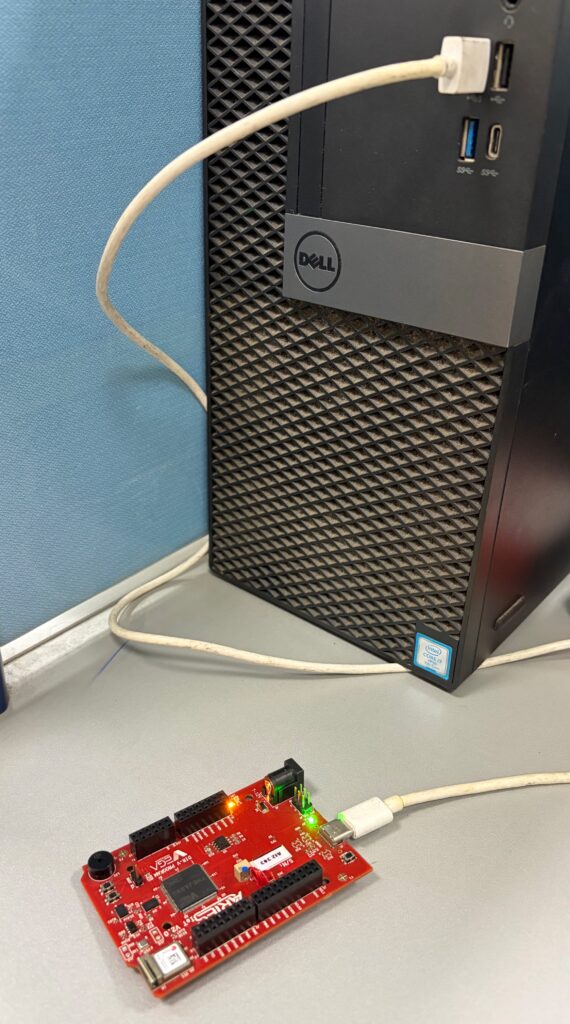
No external connections required to test this code. You can directly connect Aries IoT board through USB and upload the program.
Libraries
Arduino libraries are an extension of the standard Arduino API and consists of thousands of libraries, both official and contributed by the community. Libraries simplifies the use of complex codes. Every version of Arduino IDE has a library manager for installing Arduino software libraries. The libraries required for this projects are
- VEGAIoT_BusIO (Version 1.0.0)
- Adafruit Unified Sensor (Version 1.1.9)
- Adafruit SSD1306 (Version 2.5.7)
- Adafruit GFX_Library (Version 1.11.5)
- Adafruit BME680 Library (Version 2.0.2)
To install the libraries directly from library manager required for this project:
Go to Tools -> Manage Libraries -> and search with the library names mentioned above
Click on Install
Procedure
Setup VEGA Ecosystem
Download and install Arduino IDE 2.3.10
Once installed Open Arduino IDE
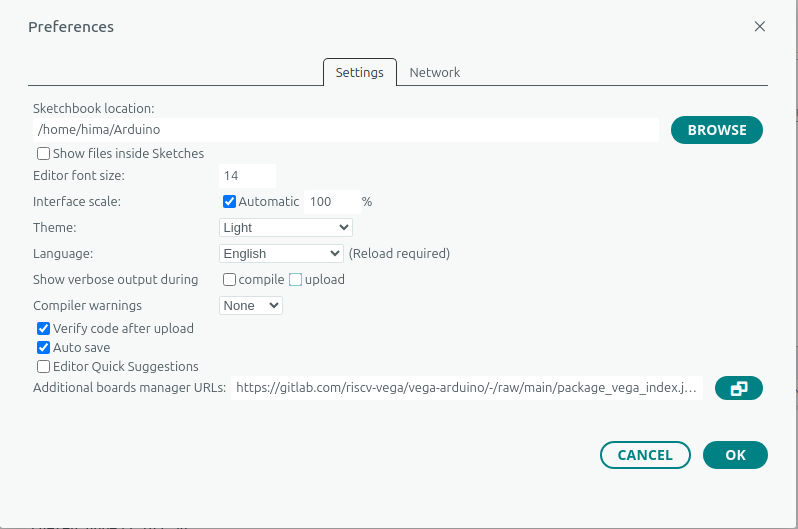
Open File->Preferences, Add below JSON in “Additional Boards Manager URL”, Press OK
https://gitlab.com/riscv-vega/vega-arduino/-/raw/main/package_vega_index.json
Open Tools->Boards->Board manager, Search for “vega”
Install “VEGA ARIES Boards” with latest version
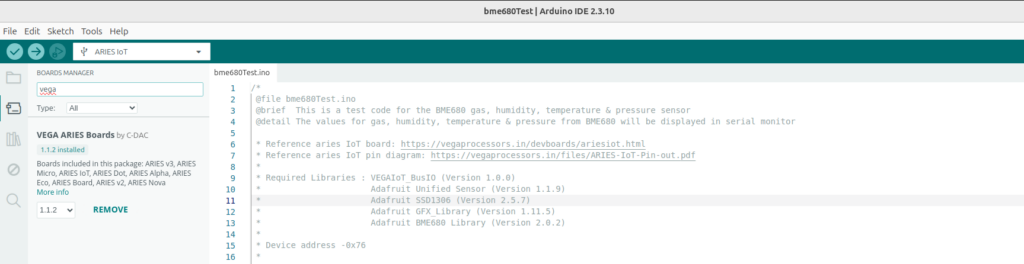
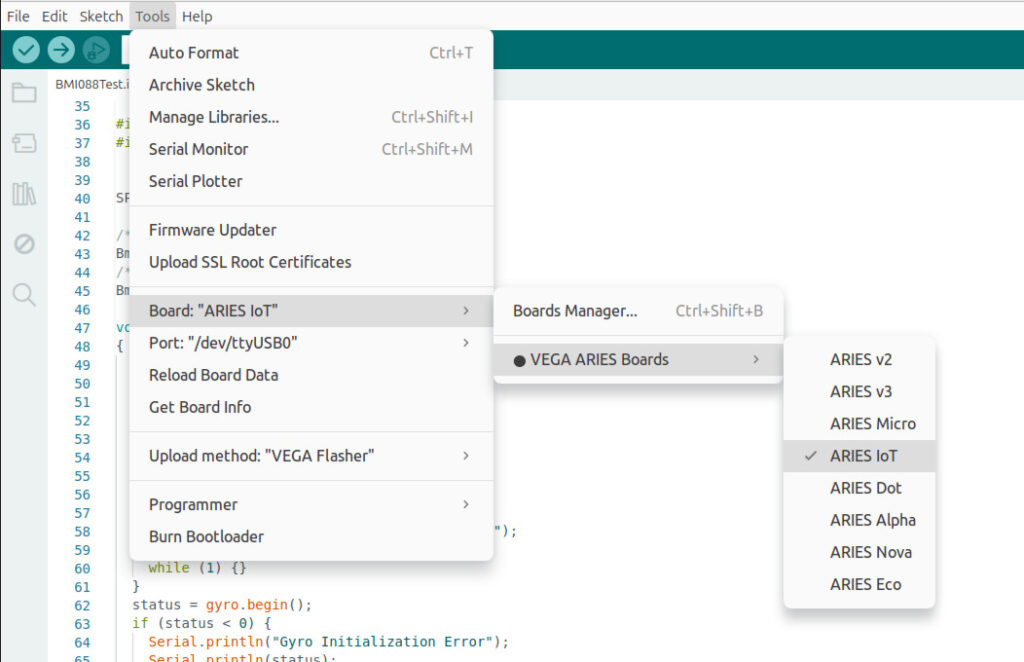
Select ARIES IoT Board from Tools -> Board -> VEGA Processor: ARIES Boards -> ARIES IoT
Check your ARIES board whether the BOOT SEL pin is shorted using a jumper or not.
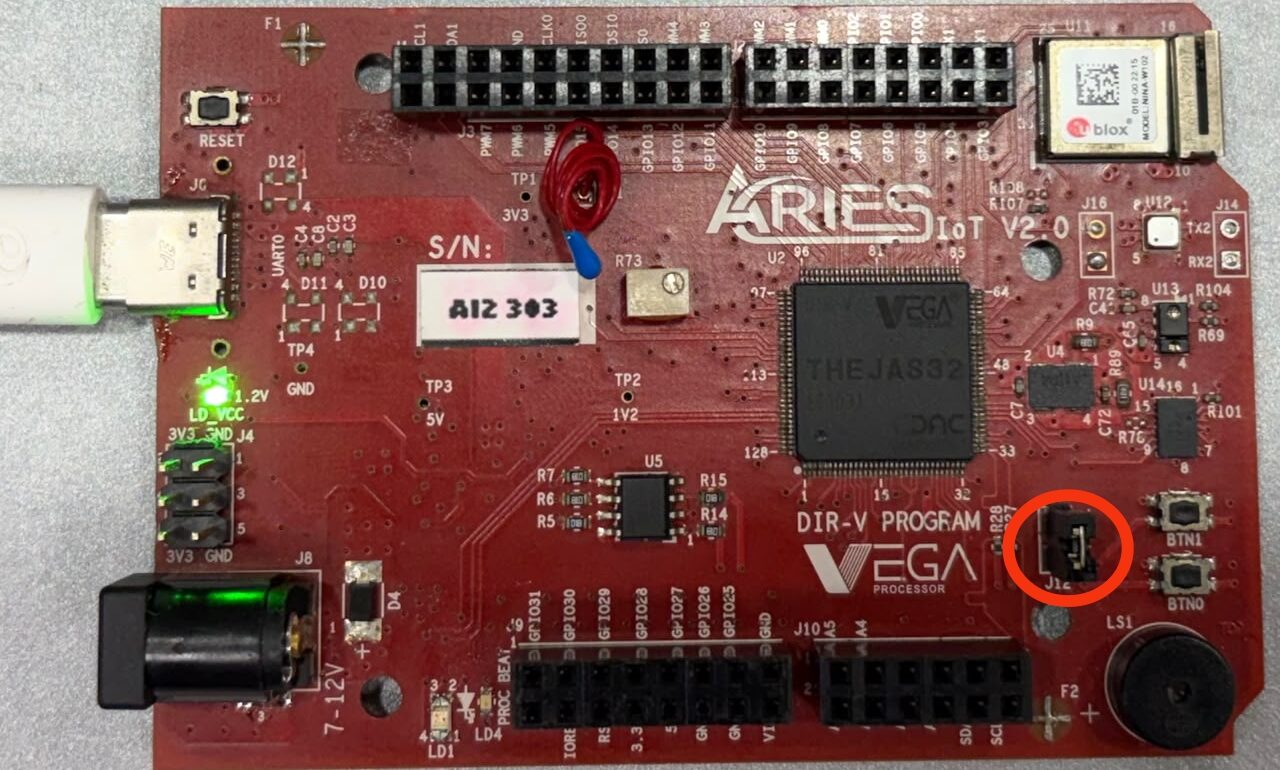
If
BOOT-SEL jumper (J12) is shorted :
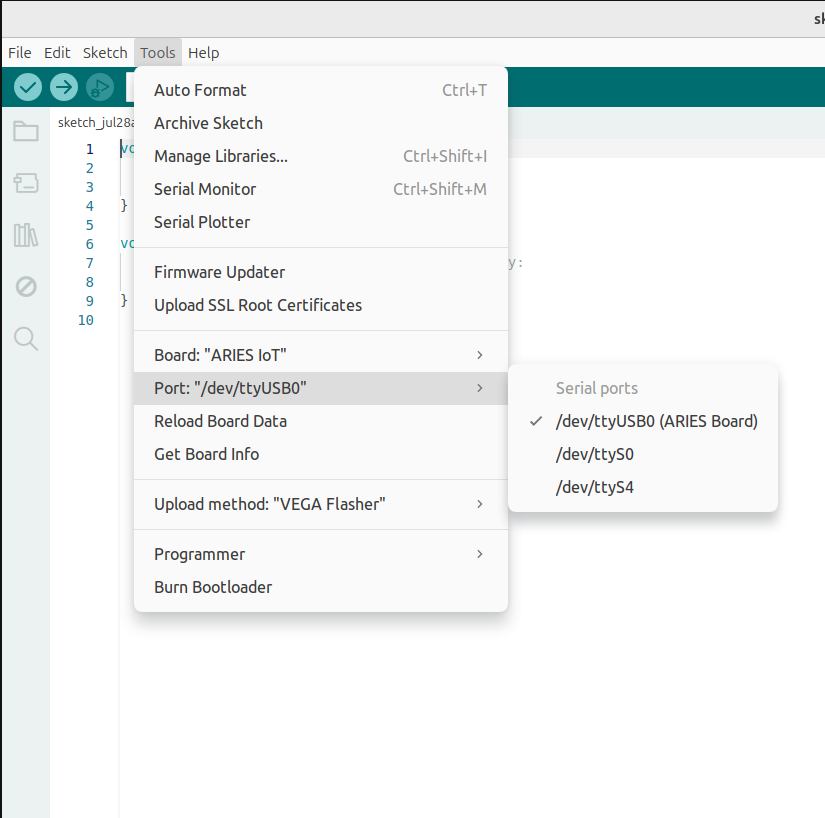
Select Tools -> Upload method -> VEGA FLASHER
Else
Select Tools -> Upload method -> VEGA XMODEM
Here the BOOT SEL pin is shorted, so we have selected VEGA FLASHER from Upload method
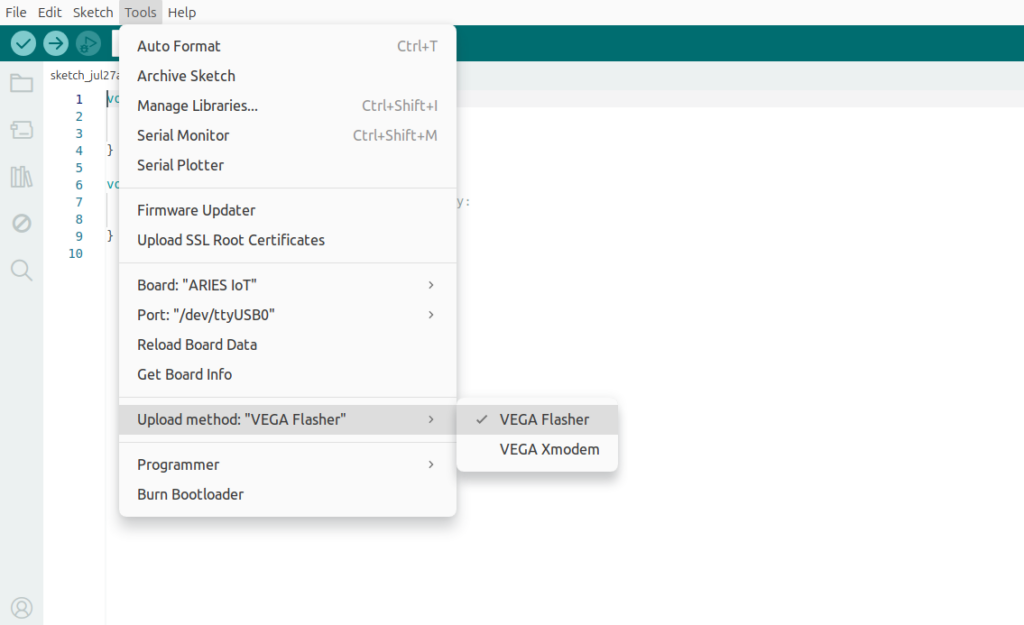
Also select appropriate port from Tools -> Port -> COM* (ARIES Board) for windows and dev/tty/USB*(Aries Board) for ubuntu
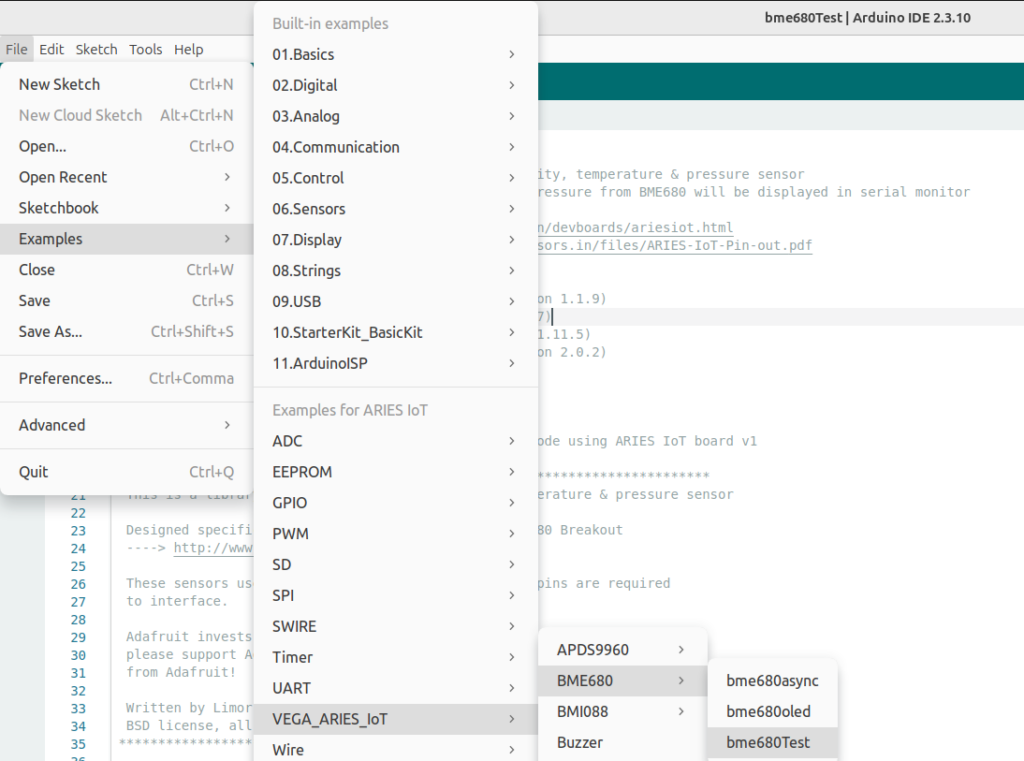
Now, Open Files -> Examples -Under Examples for ARIES IoT -> VEGA_ARIES_IoT -> BME680 -> bme680Test
Finally Upload the code to ARIES IoT board
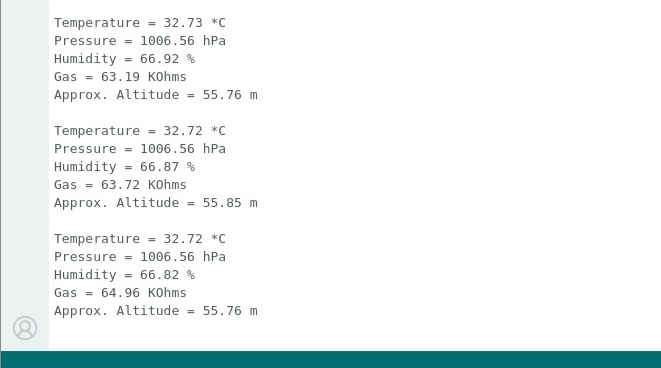
Output
After successfully uploading the code to the ARIES IoT Board and opening the Serial Monitor at 115200 baud, the BME680 sensor continuously displays temperature, humidity, atmospheric pressure, gas resistance, and approximate altitude values. These measurements provide real-time environmental data, while small variations between consecutive readings are normal and indicate that the sensor is actively monitoring changes in the surrounding environment and air quality.